The Ultimate Guide to Recipe Books for Online Coaches
Learn how to create, organize, and share digital recipe books that give your coaching clients on-demand access to curated meal collections.
If you’re an online fitness or nutrition coach, you’ve probably spent hours building meal plans for clients, mapping out every meal for every day, calculating macros down to the gram, and then doing it all over again when a client says, “I don’t like salmon.”
There’s a better way.
Recipe books give your clients a curated, browsable collection of meals they can choose from on their own terms. No rigid schedules. No day-by-day assignments. Just a library of coach-approved meals organized into sections that clients can explore whenever they’re hungry and need inspiration.
In this guide, we’ll walk through everything you need to know about creating recipe books as an online coach, from planning your first book to sharing it with clients and using it alongside your existing meal plans.
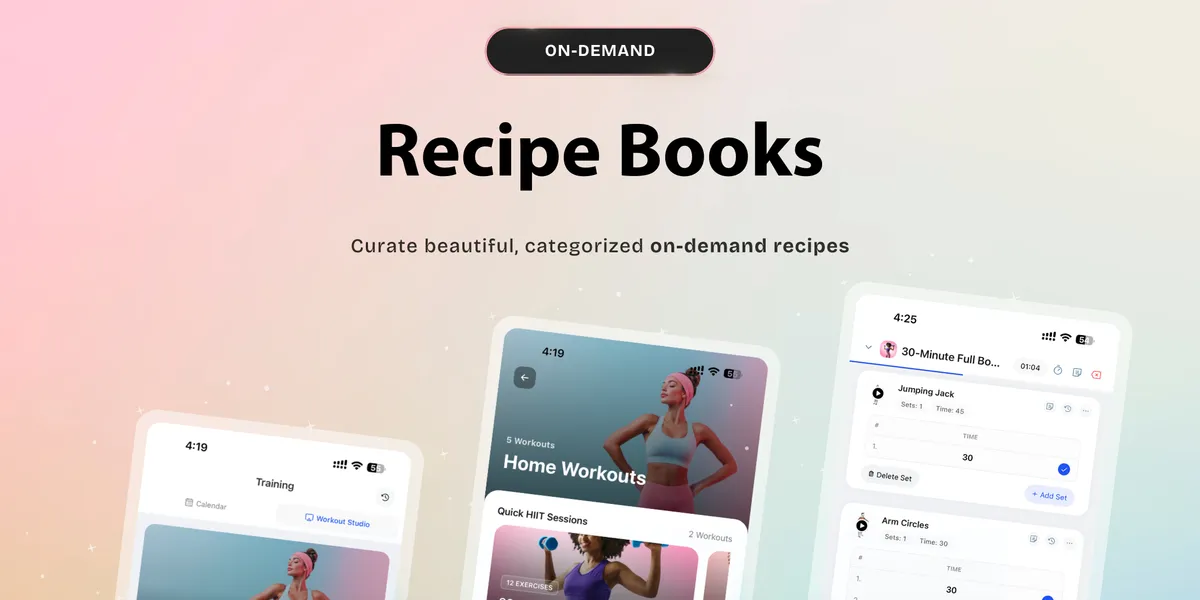
See recipe books in action:
What Is a Recipe Book (And How Is It Different From a Meal Plan)?
A recipe book is an on-demand collection of meals organized into themed sections. Think of it like a curated cookbook you hand to a client, except it lives inside your coaching platform and updates in real time.
Here’s how it compares to a traditional meal plan:
Meal plans are structured and prescriptive. You assign specific meals to specific days, often with daily macro targets. They work well for clients who want to be told exactly what to eat and when.
Recipe books are flexible and self-service. You create a collection of meals, organize them into sections like “Quick Breakfasts” or “High Protein Dinners,” and your clients browse and pick what appeals to them. There’s no schedule, no timing enforcement. Just a curated library of options.
Both have their place in your coaching toolkit. Many coaches on HubFit use them together: a structured meal plan for clients who need accountability, and a recipe book for clients who prefer autonomy (or as a supplement to meal plans for days when clients want variety). We explore this strategy in depth in How to Use Recipe Books Alongside Meal Plans for Maximum Results.
Why Recipe Books Matter for Online Coaches
1. Create Once, Share With Many
This is the single biggest efficiency gain. Unlike meal plans, which are typically customized per client, a recipe book is created once and shared with as many clients as you want. Build a “High Protein Meal Prep” book and share it with every client who has a muscle-building goal. You’ve just saved yourself hours of repetitive work. Read more about this in Create Once, Share With Many: The Coach’s Guide to Efficient Meal Content.
2. Clients Love Having Choices
Not every client wants to be told exactly what to eat on Tuesday at noon. Some clients thrive with autonomy. They want options, not orders. Recipe books give those clients a sense of ownership over their nutrition while still keeping them within your coaching framework.
3. Reduce Back-and-Forth
“Coach, I don’t like this meal. What can I swap it with?” If you’ve heard this more times than you can count, recipe books are your solution. When clients have a curated selection to browse, they find alternatives on their own, and you get fewer messages that eat into your day.
4. Boost Retention
Clients who feel supported but not micromanaged tend to stick around longer. Recipe books are a value-add that makes your coaching feel comprehensive without increasing your workload. We break down the retention impact in 7 Ways Recipe Books Boost Client Retention.
5. Showcase Your Expertise
A well-organized recipe book positions you as a knowledgeable, professional coach. It’s a tangible deliverable that clients can see and use, proof that they’re getting their money’s worth.
How to Plan Your First Recipe Book
Before you start adding meals, take a few minutes to plan your book’s structure. Here’s a framework:
Step 1: Define the Theme
Every recipe book should have a clear purpose. Ask yourself: who is this for, and what problem does it solve?
Examples of strong themes:
- “Quick & Easy Meals for Busy Professionals” (for time-crunched clients)
- “High Protein Cookbook” (for clients focused on muscle building)
- “Plant-Based Meal Collection” (for vegan or vegetarian clients)
- “Meal Prep Sundays” (for clients who batch-cook on weekends)
- “Under 500 Calories” (for clients in a caloric deficit)
Your book’s name should be descriptive and specific (you have up to 30 characters), and the description (up to 100 characters) should reinforce the theme. For more theme inspiration, check out 5 Recipe Book Templates Every Online Nutrition Coach Needs.
Step 2: Plan Your Sections
Sections are how you organize meals within a book. Think of them as chapters. Each section has a name and a display format.
Good section structures depend on your theme. Here are a few approaches:
By meal type: Breakfast, Lunch, Dinner, Snacks. Straightforward and familiar.
By prep method: No-Cook Meals, 15-Minute Meals, Slow Cooker, Meal Prep Batch. Great for a convenience-focused book.
By macro profile: High Protein, Low Carb, Balanced. Useful for a general-purpose book.
By dietary tag: Dairy-Free Options, Gluten-Free Options, Keto-Friendly. Ideal for a dietary-specific book.
For a deep dive on section strategy, read 10 Recipe Book Section Ideas That Keep Clients Engaged.
Step 3: Choose Display Formats
Each section can have its own visual layout, which changes how meals appear to your clients:
- Large Cards: Big, slideshow-style cards. Best for featured or hero meals when you want to highlight a few standout options.
- Squares: A grid of square cards. Great for visual browsing when you have a moderate number of items.
- Narrow Cards: Horizontal scrolling cards. Works well when you have many items clients can swipe through.
- List: A simple vertical list. Best for reference-style sections or text-heavy content.
Match the format to your content. A section with 3 featured meals? Use large cards. A section with 12 breakfast options? Squares or narrow cards. Learn more in How to Choose the Perfect Display Format for Your Recipe Book.
Step 4: Curate Your Meals
Pull meals from your Meal Library into each section. Each meal should have:
- A clear, appetizing name
- A short description
- Step-by-step preparation instructions
- An ingredient list with nutritional breakdowns
- Accurate macro totals (carbs, protein, fats, calories)
- At least one category tag (breakfast, lunch, dinner, snack)
Quality matters more than quantity. A focused collection of 20–30 well-documented meals is more valuable than a bloated book full of half-baked entries. For guidance on the right number, check out How Many Recipes Should You Include in a Recipe Book?.
Building the Meals: What Makes a Great Recipe Book Entry
Writing Meal Names That Pop
Your meal name is the first thing clients see. Make it descriptive and appetizing. Compare:
- “Chicken Salad” vs. “Grilled Chicken Caesar Salad with Homemade Dressing”
- “Smoothie” vs. “Tropical Mango Protein Smoothie”
- “Eggs” vs. “Spinach & Feta Scrambled Eggs”
The name should tell the client what they’re getting without needing to open the recipe.
Writing Descriptions That Sell
The description appears on the meal card, just below the name. Keep it short and benefit-oriented:
- “A 10-minute high-protein breakfast that keeps you full until lunch.”
- “Meal prep–friendly. Makes 4 servings. Reheats perfectly.”
- “Only 5 ingredients. Perfect for busy weeknights.”
For a complete guide on writing compelling descriptions, read How to Write Meal Descriptions That Make Clients Want to Cook.
Writing Clear Instructions
When a client taps into a meal, they see the full preparation instructions. Write these as if you’re explaining to someone who isn’t a confident cook:
- Number your steps
- Be specific about quantities, temperatures, and timing
- Mention equipment needed
- Include tips for common mistakes
See The Art of Writing Clear Meal Prep Instructions for a full breakdown.
Getting Macros Right
Every meal displays its macro breakdown prominently: carbs, protein, fats, and calories. These numbers come from the individual ingredients you add to each meal.
Take the time to enter accurate serving sizes and nutritional data. Your clients are trusting these numbers to hit their targets. For a detailed guide, read A Coach’s Guide to Accurate Macro Breakdowns in Recipe Books.
Sharing Recipe Books With Clients
Once your book is ready, sharing it is simple:
- Open the recipe book
- Click “Manage Access”
- Select the clients you want to grant access to
- Those clients are notified and can immediately browse the book
On the client’s end, they’ll find your recipe book in their Nutrition section under the “Recipe Books” tab. They’ll see a card with your book’s cover image, name, and recipe count. Tapping it opens the full browsable experience.
A few things to keep in mind:
- Clients can only see books you’ve explicitly shared with them
- Clients cannot see who else has access (privacy is maintained)
- You can revoke access at any time
- The feature is automatically enabled for clients when you share their first book
For the full walkthrough, check out How to Share Recipe Books With Clients.
Advanced Strategies
Using Recipe Books for Client Onboarding
Hand every new client a “Getting Started” recipe book on day one. It sets a professional tone and gives them something useful before their custom plan is ready. More on this in How to Use Recipe Books to Onboard New Coaching Clients.
Building Goal-Specific Books
Create separate books for different client goals:
- Fat loss clients: Lower-calorie, high-volume meals
- Muscle gain clients: Higher-calorie, protein-dense meals
- Maintenance clients: Balanced, flexible options
This lets you share the right book with the right client instantly. We cover this in detail in Recipe Books for Different Client Goals.
Organizing by Dietary Preference
If you serve clients with specific dietary needs, create books or sections tailored to them: keto, vegan, gluten-free, dairy-free, and so on. HubFit supports dietary tags including dairy-free, gluten-free, high-protein, keto, low-carb, low-sugar, low-calorie, low-sodium, nut-free, shellfish-free, pescatarian, vegan, and vegetarian. See How to Organize Recipes by Dietary Preference.
Duplicating and Iterating
Built a great book? Duplicate it with one click and customize the copy for a different audience. The duplicate copies all sections, items, and formats. Only the client access list starts fresh. This is perfect for creating variations without rebuilding from scratch.
Keeping Books Fresh
A recipe book isn’t a “set it and forget it” deliverable. Rotate meals seasonally, add new options based on client feedback, and retire recipes that aren’t getting love. Read How to Keep Your Recipe Books Fresh for a maintenance strategy.
Common Mistakes to Avoid
We see coaches make the same mistakes with recipe books over and over. Here are the big ones:
- Stuffing too many meals in without organization. Dozens of unsorted meals aren’t helpful. Structure matters.
- Skipping descriptions and instructions. Clients need more than a meal name and a macro count.
- Ignoring section formats. Using the default layout for every section misses the chance to create a visually engaging experience.
- Not sharing broadly enough. That book you spent hours building? Share it with every client it’s relevant for.
- Letting books go stale. Review and update your books at least quarterly.
For the full breakdown, read 5 Mistakes Coaches Make When Building Recipe Books.
Recipe Books on HubFit: What You Need to Know
HubFit’s recipe book feature is built specifically for online coaches. Here’s a quick reference on limits and capabilities:
- Multiple recipe books per coach workspace, so you can build as many as you need
- Unlimited sections per book with independent display formats
- 20 default cover images included, plus custom upload option
- Drag-and-drop reordering for sections and items
- One-click duplication for fast iteration
- Granular client access control: share with specific clients, revoke anytime
- Seamless client experience: the recipe book tab appears for clients automatically when you share a book with them
Getting Started Today
Here’s your action plan:
- Pick a theme for your first book based on your most common client need
- Plan 3–5 sections with clear names
- Pull 15–25 meals from your Meal Library (or create new ones)
- Set display formats for each section based on content density
- Write descriptions and instructions for every meal
- Share it with your relevant clients today
Your clients are looking for meal inspiration they can trust. A well-built recipe book delivers exactly that, on their terms, at their pace, with your expertise baked into every option.
Start building your first recipe book on HubFit today.
Related reading:

The HubFit team shares expert insights on training, nutrition, and wellness to help coaches and clients achieve their fitness goals.