How to Organize Recipes by Dietary Preference
Organize your Recipe Book by dietary preference. Use HubFit's dietary tags to structure multiple diet types and create an inclusive recipe library.
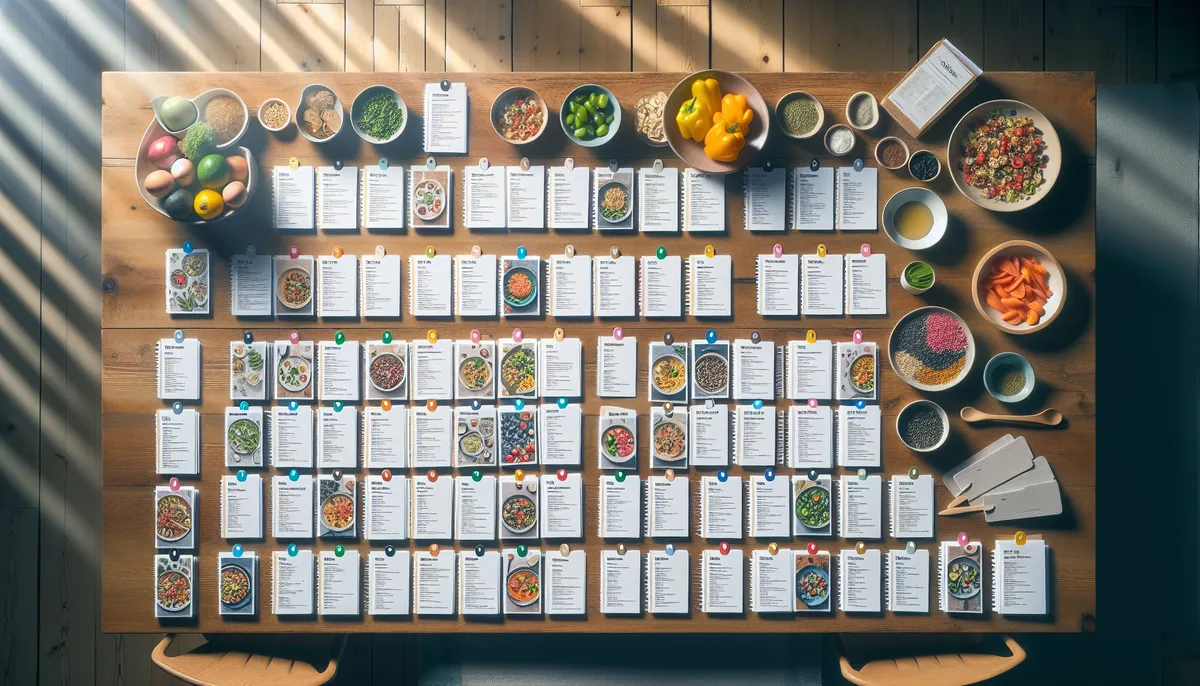
Your clients have different nutritional needs, restrictions, and goals. Some need keto options. Others are vegan. A few need both low-sodium and nut-free. In HubFit’s Recipe Book, the way you organize recipes by dietary preference determines whether clients find what they need or get frustrated searching.
Strategic organization transforms your recipe library from a generic collection into a targeted resource that every client can navigate with confidence.
Understanding HubFit’s Dietary Tags
HubFit supports a comprehensive set of dietary tags that let you categorize recipes precisely:
- dairy_free - No milk, cheese, yogurt, or dairy-based ingredients
- gluten_free - No wheat, barley, rye, or cross-contaminated ingredients
- high_protein - Recipes with 25g+ protein per serving
- keto - Low-carb, high-fat (typically under 20g net carbs per serving)
- low_carb - Reduced carbohydrates (30-50g per serving)
- low_sugar - Minimal added sugars
- low_calorie - Portion-controlled for weight loss (typically 300-400 cal/serving or less)
- low_sodium - Suitable for clients managing blood pressure or salt intake
- nut_free - No tree nuts or peanuts
- shellfish_free - No shellfish (for allergies)
- pescatarian - Fish and seafood, no other meat
- vegan - No animal products
- vegetarian - No meat or fish
This diversity means you can serve clients with different lifestyles, allergies, and goals from a single recipe library.
Three Organizational Strategies for Your Recipe Book
There’s no single “right” way to organize dietary preferences. The best approach depends on your coaching model and client base.
Strategy 1: One Recipe Book Per Diet
This approach works well if you have a clearly defined niche.
Example structure:
- HubFit Recipe Book: Keto for Athletes
- HubFit Recipe Book: Plant-Based Coaching
- HubFit Recipe Book: High-Protein Muscle Gain
Advantages:
- Ultra-focused, easy navigation
- Clients know exactly which book matches their diet
- You can tailor macro targets and messaging per book
- Good if 80% of your clients follow similar diets
Disadvantages:
- Recipes aren’t shared across books (duplication)
- More maintenance overhead
- Doesn’t work if you have diverse clients
Best for: Niche coaches (e.g., “Keto Coaching Specialists” or “Vegan Athlete Nutrition”)
Strategy 2: Sections Within a Single Book
Use HubFit sections to organize recipes by diet within one cohesive book.
Example structure:
My Flexible Nutrition Recipe Book
├─ Keto Recipes (all tagged: keto)
├─ Vegan Options (all tagged: vegan)
├─ High-Protein (all tagged: high_protein)
├─ Gluten-Free (all tagged: gluten_free)
├─ Under 400 Calories (all tagged: low_calorie)
└─ Quick Meals (5-20 min prep)
Advantages:
- Single book for all clients (easier sharing)
- Recipes can belong to multiple sections if tagged appropriately
- Clients can browse everything, picking what fits
- Minimal overhead
Disadvantages:
- Works best if sections have 15+ recipes each
- Requires clients to know their diet is covered
- Can feel overwhelming with too many sections
Best for: Coaches serving 5-8 different dietary patterns
Strategy 3: Mixed Approach (Sections + Key Diet Books)
Combine both strategies: one main book with broad sections, plus specialized books for your most common diets.
Example structure:
- Primary: “Balanced Nutrition Recipe Bank” (broad sections)
- Specialty: “Keto for Fat Loss” (dedicated, focused book)
- Specialty: “Plant-Based Power” (dedicated, focused book)
Advantages:
- Clients following niche diets get focused guidance
- Clients following flexible approaches have a broad library
- Minimal duplication (recipes live in primary bank, specialty books highlight subsets)
- Scales with your coaching business growth
Disadvantages:
- Requires thoughtful cross-referencing
- Slightly more management
Best for: Growing coaches with diverse client bases
Handling Recipes That Fit Multiple Diets
Many recipes naturally fit multiple dietary patterns. A grilled salmon salad is pescatarian, gluten-free, low-carb, and high-protein all at once.
The Smart Tagging Approach
In HubFit, tag recipes with every applicable dietary preference. A single recipe can carry 3-5 tags. Don’t force exclusivity.
Example: Greek Salad with Chickpeas
- Tags: vegetarian, gluten_free, dairy_free (if made without feta), high_protein, low_sodium (before seasoning)
This single recipe then appears in multiple section filters if you organize by sections.
Naming Sections Clearly
Avoid ambiguity in section names. Clients need to know what they’ll find.
Less clear:
- “Protein”
- “Quick”
- “Healthy”
More clear:
- “High-Protein Options (25g+ per serving)”
- “15-Minute Meals”
- “Keto Recipes (Under 20g Net Carbs)”
Add macros or specific parameters in parentheses. This sets expectations immediately.
Creating an Inclusive Recipe Library
Inclusivity isn’t just ethically sound; it’s good coaching. Your clients have different backgrounds, cultural preferences, and dietary needs.
Representation Matters
If all vegan recipes are salads and tofu stir-fry, you’re limiting your vegan clients’ experience. Include diverse cuisines:
- Indian vegan curries
- Mexican bean-based dishes
- Mediterranean vegetarian meals
- Asian noodle bowls
- Caribbean plant-based plates
Same with gluten-free: include diverse bases (rice, quinoa, corn, legumes), not just lettuce wraps and cauliflower.
Accommodating Multiple Restrictions
Some clients are vegan AND gluten-free, or keto AND nut-free. Your tagging system should support intersection searches.
When sharing a recipe book with a client who has multiple restrictions, highlight which recipes satisfy all their needs. In HubFit, you can use notes to call this out:
“For your vegan + gluten-free needs, try recipes tagged with both: Chickpea Curry, Buddha Bowls with Quinoa, Black Bean Tacos (corn tortillas).”
Default to Substitution Notes
Instead of creating separate “dairy-free” versions of recipes, build substitution guidance into one recipe:
Original: “Top with ½ cup Greek yogurt” Adjusted note: “Dairy-free option: Use coconut yogurt or cashew cream (¼ cup mixed with 2 tbsp water)”
This keeps your recipe library lean while maintaining inclusivity.
Naming Conventions That Scale
As your recipe library grows, naming conventions prevent chaos.
Recipe-Level Naming
Use consistent, descriptive names:
- [Protein Source] + [Main Flavor/Style] + [Optional: Macro Focus]
Examples:
- Grilled Chicken with Roasted Broccoli and Quinoa
- Sheet Pan Salmon with Asparagus (Keto Option in Notes)
- Black Bean Chili (Vegan, High-Protein)
Avoid:
- Vague names: “Dinner,” “Meal 1”
- Abbreviations: “Chx Broccs”
- Overly promotional: “Amazing Super-Delicious Keto Wonder Salad”
Section Naming
Be consistent in section structure:
- [Diet Type] Recipes ([Specific Metric])
- Example: “Keto Recipes (Under 20g Net Carbs)”
- Example: “High-Protein Options (25g+ per serving)”
This helps clients scan quickly and understand what qualifies.
The Practical Workflow
Here’s how to organize recipes by dietary preference in HubFit:
- Create your primary Recipe Book (or multiple books if using Strategy 1)
- Create sections matching your chosen strategy
- Tag each recipe with all applicable dietary tags in HubFit
- Add description notes that clarify macro counts and modifications
- Share strategically with clients whose goals/restrictions match the content
- Update seasonally - add new recipes, retire outdated ones
Reviewing Your Organization Quarterly
Your client base evolves. Revisit your recipe book structure every 3 months:
- Are sections too large or too small (3-5 recipes)?
- Are dietary tags applied consistently?
- Are recipes actually being used by clients?
- Are new dietary trends emerging in your client base (carnivore, low-FODMAP)?
Maintenance keeps your library relevant and usable.
Build Your Dietary-Focused Recipe Library Today
HubFit’s Recipe Book feature supports comprehensive dietary tagging, flexible sections, and client-specific sharing. Whether you’re serving keto specialists, plant-based athletes, or clients with multiple restrictions, strategic organization ensures every client finds what they need.
Create a recipe library that works for your entire client base. Start organizing your recipes by dietary preference in HubFit today.
Related Reading:

The HubFit team shares expert insights on training, nutrition, and wellness to help coaches and clients achieve their fitness goals.