How to Build a Macro-Friendly Recipe Book Clients Actually Use
Learn how to structure recipe books with accurate macros to help your clients hit their nutrition targets effortlessly. Discover best practices for organizin...
Your clients download your recipe book with excitement. But two weeks later, they’re back to their old habits, not because the recipes are bad, but because hitting their daily macros feels like guesswork.
The difference between a recipe book that sits in your client’s files and one they actually use comes down to one critical factor: accurate, visible macros on every single meal.
In this guide, we’ll explore how to build a macro-friendly recipe book in HubFit that makes it frictionless for clients to find meals matching their targets.
What Makes a Recipe Book “Macro-Friendly”?
A macro-friendly recipe book isn’t just a collection of healthy meals. It’s a strategic tool organized around your client’s nutritional targets.
Here’s what separates a truly macro-friendly recipe book from the rest:
Accurate Macro Breakdowns Per Meal
Every recipe must display complete macros: total carbohydrates, protein, fats, and calories. Your clients don’t just want to know “this is healthy.” They want to know “this meal has 35g protein and 45g carbs.”
In HubFit, this means ensuring each ingredient is entered with precise serving sizes. When you add 150g of chicken breast, the platform automatically calculates the protein contribution. When you add 2 tablespoons of olive oil, the fats are captured. The macro summary automatically aggregates all ingredients, giving clients instant clarity.
Sections Organized by Macro Profile
Rather than sorting meals alphabetically, organize your recipe book by macro purpose:
- High-Protein Meals (30g+ protein per serving)
- Under 400 Calorie Dinners (for clients in a deficit)
- Carb-Friendly Breakfasts (50g+ carbs)
- Moderate-Calorie Sides (flexible for any goal)
This structure makes browsing intuitive. A client in a fat-loss phase can immediately jump to “Under 400 Cal Dinners” and know every option fits their calorie target.
Easy-to-Scan Macro Cards
Display total macros prominently on each meal card. A client scrolling through should see:
- Meal name
- Total calories
- Key macros (Protein / Carbs / Fats)
- Optional: fiber, if relevant to your coaching style
This visual scanning speed is crucial. If clients have to click into each recipe to see macros, they won’t use it. Make macros immediately visible.
Structuring Your Recipe Book for Easy Macro Browsing
Step 1: Define Your Macro Ranges
Before building, establish target ranges for your recipe sections. Examples:
| Section | Calorie Target | Protein | Carbs | Fats |
|---|---|---|---|---|
| Under 400 Cal Dinners | 300-400 | 30g+ | 40-50g | 10-15g |
| High-Protein Lunches | 500-650 | 40g+ | 50-60g | 15-20g |
| Energy Balls (Snacks) | 150-200 | 5-10g | 20-25g | 8-12g |
| Post-Workout Meals | 600-800 | 35-40g | 70-100g | 15-25g |
These ranges give you a clear target when entering recipes and ensure consistency for clients.
Step 2: Build Your Sections Intentionally
In HubFit, organize your recipe book into logical sections. Each section should serve a specific purpose in your client’s day:
- Breakfast Options (broken into “Quick” and “Prep-Friendly”)
- Lunch Builds (separated by calorie level)
- Dinner Solutions (by macro profile)
- Snacks (portioned for easy tracking)
- Meal Prep Staples (versatile components clients can mix)
This structure helps clients answer: “What can I eat for dinner if I need 500 calories and 40g protein?” They navigate to the right section and find 5-7 options that fit.
Step 3: Make Portions Adjustable
Include recipes where clients can easily scale portions without recalculating macros. For example:
- A chicken and rice bowl with macros listed per 100g of chicken and per 1/2 cup rice
- A smoothie with macros per ingredient listed separately
- A pasta dish where clients can adjust oil or protein portion
This flexibility is what transforms a rigid meal plan into a practical recipe book. Clients feel empowered to adapt recipes to their exact targets.
Recipes That Are Actually Easy to Adjust
Not all recipes scale equally. Favor recipes with these characteristics:
Easy to Adjust:
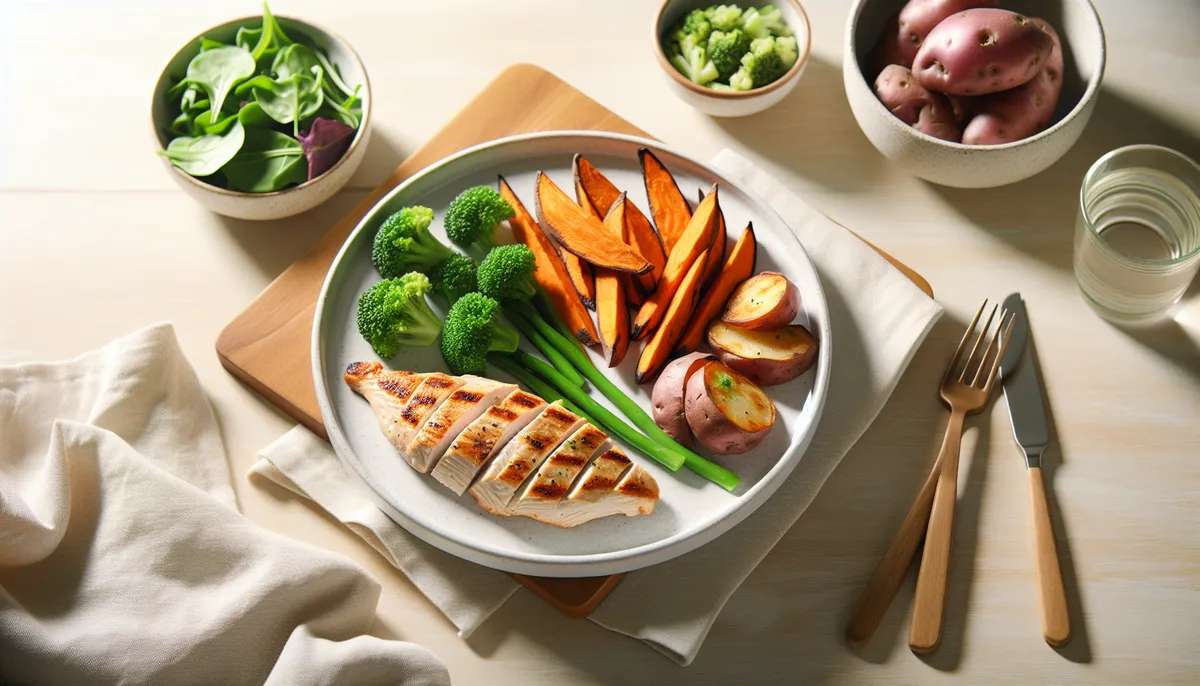
- Roasted chicken + roasted vegetables + rice (adjust each component independently)
- Egg scrambles with variable vegetables (add more veggies, keep protein consistent)
- Overnight oats (adjust oats or milk to hit carb targets)
Hard to Adjust:
- Baked goods (scaling flour changes texture and results unpredictably)
- Sauces and dressings (portion sizes vary wildly)
- Casseroles (components blend; hard to scale one ingredient)
When building your macro-friendly recipe book, prioritize recipes that clients can confidently adjust by portions. Include clear notes: “This bowl can scale from 300-500 calories depending on how much rice you add.”
Macro-Friendly ≠ Macro-Counted Meal Plans
Here’s an important distinction your clients need to understand:
A macro-friendly recipe book provides options with macro information, letting clients choose meals that align with their targets. It’s flexible, empowering, and sustainable.
A rigid macro-counted meal plan dictates exactly what to eat each day. It’s restrictive and often leads to compliance failure.
Your HubFit recipe book should feel like the former. Clients browse, find meals they actually want to eat, and trust the macro numbers are accurate. This builds long-term adherence far better than prescriptive meal plans.
The HubFit Advantage
When you build recipe books in HubFit, you’re leveraging ingredient-level macro tracking. Each food in a recipe contributes its exact carbs, protein, and fats. No guessing. No rounding errors that compound across a recipe.
This accuracy is the foundation of a truly macro-friendly recipe book. Your clients can trust your numbers because HubFit ensures precision at every step.
Final Thoughts
The recipe books your clients use are the ones they trust and understand. By organizing around macro profiles, making portions adjustable, and displaying macros prominently, you transform a collection of recipes into a practical nutrition tool.
Start with one small section, maybe “Under 400 Cal Dinners,” and test it with a client. Refine based on their feedback. Once you’ve perfected the structure and macro ranges, scale it across your entire recipe book.
Your clients will notice the difference. They’ll use the book because finding meals that fit their macros becomes simple, not stressful.
Ready to Build Better Recipe Books?
HubFit’s Recipe Book feature is designed to help coaches create macro-accurate, client-friendly meal collections. Start organizing your recipes by macro profile today and watch client adherence improve.
Related Reading:

The HubFit team shares expert insights on training, nutrition, and wellness to help coaches and clients achieve their fitness goals.