How to Build an On-Demand Workout Library for Online Coaching Clients
Everything coaches need to know about creating, organizing, and sharing on-demand workout libraries clients actually use.

The way coaching works is changing. Your clients don’t just want personalized programming anymore. They want choice, flexibility, and instant access to high-quality workouts whenever they have time to train. They’re used to Netflix letting them pick what to watch. They expect their coaches to give them the same experience with their fitness content.
This is where Workout Studio comes in.
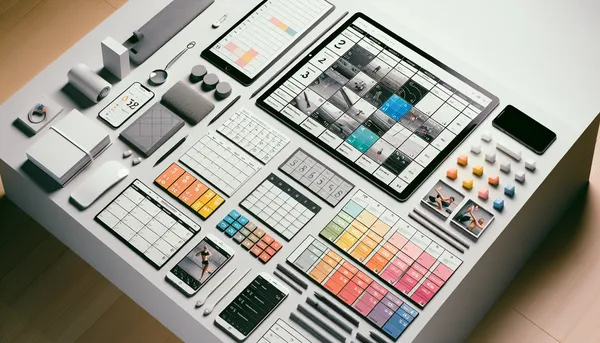
Workout Studio is HubFit’s answer to a fundamental challenge in online coaching: how do you provide personalized guidance while also giving clients the autonomy and variety they crave? It’s a Netflix-style on-demand workout library that lets you organize, present, and share curated workouts with your clients in a way that feels professional, intuitive, and most importantly, actually gets used.
In this guide, we’ll walk through everything you need to know about building and managing a Workout Studio that becomes an indispensable part of your coaching business. Whether you’re just getting started or looking to scale your content strategy, you’ll learn how to create studios that your clients genuinely love using.
What Is a Workout Studio (And How Is It Different From a Training Program?)
Before we dive into how to build one, let’s clarify what a Workout Studio actually is and why it’s different from the training programs you might already be creating.
A training program is structured and sequential. When you write a 12-week program, you’re creating a specific path for a client to follow. Week 1 has certain exercises, intensities, and rep ranges. Week 2 builds on week 1. The progression is intentional and you control the flow. The client follows your plan from start to finish.
A Workout Studio is a library. It’s a collection of workouts organized by theme, type, or goal that clients can browse and choose from. Rather than following a linear path, clients pick what matches their current needs: their available time, energy level, equipment, or mood. One day they might grab a 20-minute core session. The next day, a full-body circuit. It’s flexible, self-directed, and puts some autonomy back in your client’s hands.
This is a critical distinction because both serve different purposes in your coaching practice. Learn more about how Workout Studio and training programs compare to understand when to use each approach.
The key insight: Workout Studios work best when you curate them thoughtfully. You’re not just throwing random workouts in a folder. You’re organizing them by the outcomes and situations your clients actually face, so they can find what they need quickly.
Why Workout Studios Matter for Online Coaches
If you’re still thinking about Workout Studios as just another feature, let’s talk about why they’ve become essential for serious coaching businesses.
Create Once, Share With Many
This is the efficiency angle. When you film or write a workout, you’ve invested time. That effort (scripting, filming, editing, testing) costs the same whether one client uses it or fifty.
A Workout Studio lets you leverage that investment across your entire client base. You create a solid lower-body strength workout, add it to your studio, and suddenly every client who needs leg work can access it. You’re not re-creating content for every client. You’re creating once and sharing with everyone who needs it.
This becomes even more powerful when you have multiple clients at similar levels. A beginner-friendly upper body pull workout? One of your clients can reference it while another gets assigned it. A metabolic conditioning circuit that most of your clients love? It lives in your studio and gets reused. Discover the full impact of creating once and sharing with many.
Clients Love Having Choices
This is the psychology piece. Humans like autonomy. Research consistently shows that when people have choice, even within constraints, they feel more control and stay more engaged.
Your client is a busy parent with 30 minutes. They have three upper-body options that day. They pick the one that fits their headspace. That choice? It makes them feel in control of their fitness. They’re not just following orders. They’re participating in a system that respects their time and preferences.
When clients feel like they have options, adherence goes up. They’re more likely to actually do the workout because they chose it, not because you assigned it. Explore why clients crave on-demand workout access.
Reduce Back-and-Forth
Email threads about workouts are a productivity killer. “Can you give me something short today?” “Do you have an upper body option?” “I want to try something different this week.”
A well-organized Workout Studio becomes your client’s first resource. Before they ask you, they check the studio. If they have 20 minutes and need a lower body session, it’s already there. This eliminates low-value communication and gives you back time for actual coaching: form feedback, programming adjustments, and motivation.
The studio becomes your content library working for you, not a manual task you manage.
Boost Retention
Here’s where the business case gets really interesting: clients who use your Workout Studio stay longer.
Why? Because you’ve created a more complete service. You’re not just telling them what to do. You’re providing a platform where they can explore, discover, and have variety in their training. The studio becomes part of the value proposition. Losing that (and you) means losing access to that library of workouts they’ve come to rely on.
Beyond that, the studio keeps your clients engaged on a daily basis. They’re logging in, browsing, and working through your content. You’re top of mind more often, which deepens the relationship. Discover the mechanisms behind Workout Studio-driven retention.
Professional Presentation
Finally, there’s the brand piece. A Workout Studio looks professional. It looks like your clients signed up with a real coaching service, not a coach sending PDF files. The interface, the organization, and the ability to see workouts presented beautifully all reinforce the investment they made in working with you.
This is especially important if you’re growing your business and attracting clients who’ve worked with bigger coaching platforms before. They expect this level of polish. A Workout Studio in HubFit gives it to you.
How to Plan Your First Workout Studio
Alright, so you want to build a Workout Studio. Where do you actually start?
Most coaches overthink this. They imagine they need hundreds of workouts ready before launching. You don’t. Start with a focused theme and a smaller collection of high-quality workouts that actually matter for your clients.
Step 1: Define the Theme
What is this studio for? Are you building it around:
- A specific goal? (fat loss, strength, general fitness, muscle gain)
- A specific population? (busy professionals, athletes, postpartum clients, seniors)
- A specific modality? (bodyweight, equipment, hybrid)
- A specific framework? (a program you’ve developed, like “The 8-Week System”)
The theme helps you make every content decision going forward. It’s your north star. When you’re deciding what to add next, you ask: “Does this fit the theme?” If not, it probably doesn’t belong.
For your first studio, pick a theme where you have real expertise and where you can create 8-15 solid workouts relatively quickly.
Step 2: Plan Your Sections
Sections are how you organize workouts within your studio. Think of them as chapters in a book.
If your studio is “Strength for Busy People,” your sections might be:
- Full-Body Sessions (20-30 min)
- Upper Body Focus (15-25 min)
- Lower Body Focus (15-25 min)
- Core and Mobility (10-15 min)
- Intense but Quick (under 15 min)
Each section makes the client’s choice easier. They don’t see 30 workouts at once. They see 5 categories, then find what they need. Explore comprehensive section organization strategies.
Step 3: Choose Your Layouts
HubFit gives you flexibility in how each section looks: List view (minimal, scannable), Large Cards (more visual, shows descriptions), Narrow Cards (a nice middle ground), or Grid layout (maximum visual impact).
Different layouts serve different purposes. A “Quick Circuits” section might work best as a grid (lots of options visible at once). A “Getting Started” section might work better as large cards where you can add context. Learn how to match layouts to your content strategy.
Step 4: Import Workouts
Now you’re adding the actual workouts to your studio. Most coaches building in HubFit already have workouts in their library. You’re selecting which ones fit this theme, organizing them into the sections you planned, and adding them to the studio.
This is not about creating from scratch (though you can). It’s about curating from what you’ve already built.
Once you have your first 8-12 workouts organized in 3-4 sections, you’re ready to launch. Get a step-by-step walkthrough of creating your first studio or launch one in under 10 minutes if you want to move fast.
Organizing Your Content for Maximum Engagement
Once your studio is live, how you organize it actually matters for whether clients use it.
We mentioned sections and layouts already, but let’s go deeper into the psychology here. A client opens your studio with a few minutes to work out. They need to find something in about 15 seconds or they’re doing something else instead.
This means your organization needs to be obvious and fast. Section names should be crystal clear. A section called “Work” is confusing. A section called “Effective 30-Min Full-Body Sessions” tells the client immediately if it fits what they need.
Similarly, workout titles should be descriptive. “Leg Day” doesn’t tell you much. “Lower Body Strength: Squats & Deadlifts (25 min, moderate)” tells you exactly what you’re getting.
HubFit lets you use drag-and-drop to reorder sections and workouts. The order matters. Put your most popular or most broadly useful sections first. Put niche variations toward the bottom. Use the live preview feature to see how your studio actually looks from your client’s perspective before you share it.
The goal is: a client with 15 minutes should be able to find 2-3 great options in 10 seconds. Dive deeper into maximum-engagement organization.
Workout Types and Structures
Not all workouts are the same format. Variety in how you structure them keeps things fresh and addresses different training goals.
Regular/Strength Workouts follow a traditional structure: warm-up, prescribed exercises with sets and reps, cool-down. These are best for focused strength building, skill work, or when you want precise intensity control.
Circuit Workouts have you moving through a sequence of exercises with minimal rest, then repeat. These are metabolically demanding, time-efficient, and feel dynamic. Perfect for clients with limited time who want intensity.
AMRAP (As Many Rounds As Possible) workouts give you a time window and a sequence. How many complete rounds can you finish in 20 minutes? These create natural intensity progression and are inherently competitive, which some clients love.
Interval Workouts alternate between work and rest periods. Think 40 seconds hard, 20 seconds easy, repeat for 10 rounds. These are scientifically sound for fitness gains and time-efficient.
Your studio should probably include all four types in various configurations. The variety itself is appealing to clients and addresses different training contexts. Explore workout structures in depth.
Managing Client Access and Sharing
Here’s a question that comes up often: who should see your workout studio?
HubFit lets you control access granularly. You can share your studio with specific clients, entire groups, or make it available to all clients depending on your plan. You can also revoke access at any time if a client leaves or if circumstances change.
When you share a studio with a client, they get a notification. They’ll see it in their HubFit app or dashboard, organized alongside any personalized programs you’ve created for them.
Beyond just granting access, you might use studios strategically. Maybe advanced clients get access to your “Advanced Strength” studio while newer clients access “Fundamentals.” Maybe all your clients get access to a general “Mobility and Recovery” studio, but only strength clients get the specialized strength library.
The philosophy here is simple: give clients enough choice to feel autonomy, but not so much that they’re overwhelmed. Get a detailed guide to sharing and access control.
Tracking and Performance
One of the often-overlooked benefits of having your workouts in a Workout Studio is that you get data.
When clients complete workouts from your studio, you see:
- Which workouts get completed (you’ll learn which ones actually resonate)
- How often clients access the studio (engagement metric)
- Completion rates (are clients finishing workouts or dropping halfway?)
- Performance metrics (PRs, volume, strength progression)
This data is coaching gold. You notice that your “30-Minute Upper Body” workout gets completed at 85% rate while your “Advanced Periodization” workout sits at 40%. That tells you something about what your clients actually want to do and can sustain.
Over time, you see patterns in volume, strength increases, and workout frequency. If a client usually does 3-4 workouts per week but drops to 1, you notice and can check in. And if they’re hitting PRs in certain movement patterns, you can reinforce that with similar workouts.
This transforms your Workout Studio from just a library into a genuine coaching tool that informs your decisions. Learn to use performance tracking strategically.
Scaling Your Studio Strategy
Once you’ve launched your first Workout Studio and seen how clients use it, the next question becomes: how do you scale this?
You could build a completely new studio from scratch for each population or goal you serve. But that’s inefficient. A better approach is to use duplication and templates.
HubFit lets you duplicate a studio you’ve already built. This is huge. You create a solid “Fundamentals” studio. Then you duplicate it and customize it into a “Fundamentals Plus” version with slightly harder progressions. You’ve saved yourself hours of setup work.
Similarly, as you build more studios, you develop templates: standard section structures and layouts that work for you. “Always put a Quick Options section first. Always have a Full-Body section. Always include Mobility at the end.” This consistency across studios means clients feel at home in each one, and you’re not rebuilding the wheel.
Explore scaling strategies that top coaches use. Learn about template-based studio building.
Combining Studios With Training Programs
This is an important nuance: Workout Studios and training programs serve different purposes, and your best coaching probably uses both.
Training programs work best when you’re building progressive, structured paths. An 8-week hypertrophy program has clear progression. You control the stimulus week to week. There’s a beginning, middle, and end.
Workout Studios work best for supplemental work, variety, and client autonomy. They’re great for the “use this when you have 20 minutes” scenarios or “pick one of these mobility routines” situations.
The winning approach for most coaches is to create structured training programs for your serious clients or specific goals, then give those clients access to a Workout Studio for supplemental work, recovery, or days when they need flexibility.
Or, use studios as your main offering if your business model is more “library of content” than “personalized programming.” Both work. Understand the complementary relationship.
Common Mistakes to Avoid
We’ve talked about what to do. Let’s talk about what not to do, because coaches frequently stumble in similar ways.
Mistake 1: Creating Too Much Too Soon. You don’t need 100 workouts to launch. Start with 8-12 solid ones in your first studio. Add more after you see what clients actually use. Quality beats quantity every time.
Mistake 2: Poor Organization. A studio with confusing section names, unclear workout titles, and no logical flow is a studio that doesn’t get used. Spend time on organization. Test it. Make sure a client can find what they need in seconds.
Mistake 3: Mixing Unrelated Content. A strength studio shouldn’t have yoga flows. A flexibility studio shouldn’t have max-effort lifts. Thematic consistency matters. Clients know what they’re getting when they open “Strength” versus “Mobility.”
Mistake 4: Not Leveraging Video. Text descriptions are fine, but a 30-second preview video of the workout is so much better. Clients want to see what they’re signing up for. Whenever possible, include movement demos.
Mistake 5: Set It and Forget It. Launch the studio, share it with clients, then never update it or pay attention to how they use it. The best studios evolve based on what clients actually do. Remove the workouts nobody uses. Double down on the ones everyone loves.
Get a comprehensive guide to these and other common mistakes.
The Future of On-Demand Fitness Content
We’re at an inflection point in coaching. The old model of coaches emailing PDF workouts and clients hoping they’re formatted correctly on their phone is becoming outdated.
The future is platforms that combine the personal touch of coaching with the accessibility and variety of on-demand fitness. Clients expect professionally presented content, instant access, variety, and the ability to track what they’ve done. They’re used to this with music (Spotify), video (Netflix), and workouts (Peloton, Apple Fitness+).
Your Workout Studio in HubFit is you getting ahead of that curve. You’re giving clients what they expect while maintaining the personalization and human element that makes coaching valuable. Explore the evolution of on-demand fitness. Look forward to what’s coming in online personal training.
The coaches winning right now aren’t the ones with the most complicated programming templates or the fanciest credentials. They’re the ones who’ve built systems that make their clients’ lives easier and more enjoyable. A Workout Studio is exactly that kind of system.
Getting Started Today
Ready to build your first Workout Studio?
Start small. Pick a theme. Curate 8-12 workouts that fit that theme. Organize them into 3-4 sections with clear names. Choose layouts that make sense. Share it with a small group of clients and see how they use it.
Watch the data. Which workouts get completed? What are clients asking for? What sections could be clearer? Use that feedback to refine.
If you’re on HubFit’s Ultimate plan, you have access to Workout Studio and all the tools you need to start today. If you’re not quite there yet, it’s worth upgrading just for this feature. The time you save on content management, the increase in client engagement, and the boost in retention will pay for the upgrade many times over.
The future of coaching is giving clients both structure and choice, personalization at scale, and professional presentation of your expertise. Your Workout Studio is the tool that makes all three possible.
Start building today.

The HubFit team shares expert insights on training, nutrition, and wellness to help coaches and clients achieve their fitness goals.