How to Organize Your On-Demand Workout Library for Max Engagement
Proven strategies for structuring your on-demand workout library so clients browse more and train consistently.
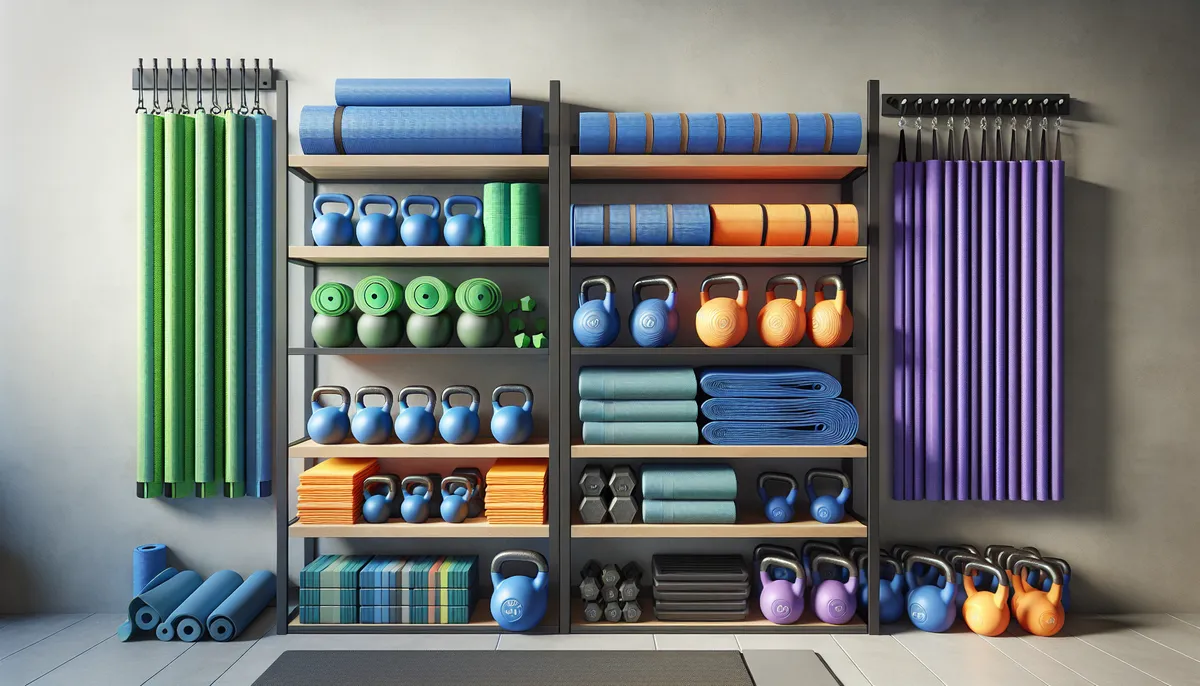
Your workout studio is like a streaming service for your clients, except instead of binge-watching shows, they’re binge-training. But here’s the thing: a poorly organized library kills engagement faster than a boring warm-up. Clients need to find what they want quickly, see variety at a glance, and feel motivated to explore. In this guide, we’ll walk through the exact strategies that turn a random collection of workouts into a curated experience your clients actually want to use.
The Section Naming Sweet Spot
Think about how Netflix organizes content. They don’t have a section called “Stuff to Watch.” They have “Trending Now,” “Continue Watching,” and “Action-Packed Thrillers.” Your sections need that same clarity and appeal.
Here’s what works: Use clear, benefit-focused section names that immediately tell clients what they’ll get. Instead of “Workouts 1,” try “Legs & Glutes,” “30-Minute Fat-Burning,” or “Recovery & Mobility.” Your clients should understand what’s in a section within a second of seeing the title.
The naming convention you choose should be consistent across your studio. If you have one section called “Lower Body Strength” and another called “Glutes,” you’re creating cognitive friction. Stick to a system. Some coaches like body-part organizing (Chest, Back, Legs). Others prefer format-based (Strength, Conditioning, Mobility). Still others use time-based (20-Minute Workouts, 45-Minute Programs). Pick one system and commit to it.
One more tip: avoid generic names. “Workouts” as a section title tells people nothing. But “Strength Foundation” or “HIIT for Cardio Lovers” gives them direction and makes them want to click in.
The Ordering Strategy: Lead With Your Best Content
Here’s a counterintuitive truth: most clients will never scroll through your entire studio. They’ll see the first few sections, and if nothing grabs them, they’ll leave. This means your section order matters more than you think.
Put your most engaging, highest-demand content first. If your clients love 30-minute strength workouts, that section should be near the top. If you have a signature program or signature workout type, feature it prominently. Think about what your ideal client signed up for. They want that first.
Then, organize sections by a logical progression: beginner to advanced, energy level (high to low), or training goal. Some coaches do this: Trending & New → Signature Program → By Goal → By Body Part → Accessories. This creates a natural journey that keeps clients exploring.
Your last sections might be educational or supplemental: “Form Guides,” “Mobility & Recovery,” or “Bonus Content.” These are valuable but typically accessed after a client has already committed to training.
Mixing Layouts for Visual Interest
HubFit’s Workout Studio gives you four layout options: List, Large Cards, Narrow Cards, and Grid. Don’t use the same layout for every section. That’s the visual equivalent of a wall of text.
Mix your layouts strategically:
- Large Cards work great for hero sections: your most popular or newest content. The visual impact draws attention.
- Grid Layout is perfect for collections of similar workouts (like “Full Body Workouts” where each workout is equally important). It shows volume and variety.
- Narrow Cards work well for sequential programs or time-based collections where you’re guiding clients through a progression.
- List View is practical for supplemental content or when you have many options in one category.
Don’t overthink this. The rule is: change it up, but keep it intentional. If three sections in a row are Grid, switch to something else. Your eyes will thank you.
Cover Images: The First Impression
You never get a second chance to make a first impression, and your cover images are it.
Each workout needs a cover image, and these images compound your studio’s appeal. A studio filled with low-quality, mismatched, or dark images feels unmaintained. A studio with bright, clear, consistent cover images feels professional and trustworthy.
Best practices for cover images:
- Use consistent branding or color palette across your studio
- Make sure faces or key elements are visible and clear
- Avoid overly dark or blurry images (they kill click-through rates)
- Use images that match the workout type (heavy weights for strength, dynamic movement for cardio, calm settings for mobility)
- Update images if they start looking dated. This signals to clients that your content is current.
Remember: clients browse with their eyes first, then they read. Make your studio look inviting, and more people will actually use it.
How Many Sections Is Ideal?
There’s a balance. Too few sections and your clients feel limited. Too many and they get lost in choice paralysis.
The sweet spot: 5-10 main sections. This gives you enough variety that clients can find what they’re looking for without overwhelming them. If you’re just starting, aim for 5-7. As you grow your content library, you can expand to 8-10.
Here’s why: cognitive load is real. When clients open your studio, they should be able to scan your sections in 10-15 seconds and find something they want. More than 10 sections and you’ve moved from curation into clutter.
If you find yourself wanting more than 10 sections, you might need two studios instead. For example, a “Strength & Power” studio and a separate “Cardio & Conditioning” studio. This is a feature coaches often overlook: you can create multiple studios to serve different training philosophies or client populations.
Think Like a Content Curator
Here’s the mindset shift that changes everything: Stop thinking like a coach who has a bunch of workouts. Start thinking like a curator.
A curator doesn’t just collect things randomly. A museum curator decides what tells a cohesive story. A music curator creates a playlist where songs flow and build on each other. Your job is the same.
Ask yourself:
- What’s the story I’m telling with this studio?
- What’s the journey I want clients to take?
- Which workouts should they see first to get excited?
- How do sections connect logically?
- If a client does one section, what should naturally come next?
This perspective transforms your studio from “here are my workouts” into “here’s a training experience I’ve designed for you.”
A great example: a coach might organize a studio like this:
- New Clients Start Here (introductory workouts, form focus)
- This Week’s Workouts (trending, time-limited)
- Strength Foundation (staple workouts clients return to)
- Advanced Challenges (for clients ready to level up)
- Recovery & Mobility (for active recovery days)
This tells a clear narrative: “I know you’re new, here’s what’s fresh, here’s the core work, here’s your next challenge, and here’s how to recover smartly.”
Putting It All Together
Your workout studio organization isn’t just about being tidy. It’s a powerful tool for client engagement. When clients open your studio and immediately see:
- Clear, benefit-focused sections they understand
- The most compelling content up front
- Visual variety that keeps them interested
- Professional, consistent branding
- A logical flow that guides them forward
…they’re way more likely to train today. And tomorrow. And next week.
The best part? Organization compounds. Every time you add a new workout, it fits neatly into your existing system. Every time a client returns, they get faster at finding what they need. Your studio becomes less of a library and more of a home gym they actually want to visit.
Ready to level up? Check out our guide on choosing the right section layouts for your specific training style, explore section ideas for different coaching niches, and learn how organization directly impacts client retention.
For the full picture on building an effective Workout Studio, see our complete guide.

The HubFit team shares expert insights on training, nutrition, and wellness to help coaches and clients achieve their fitness goals.