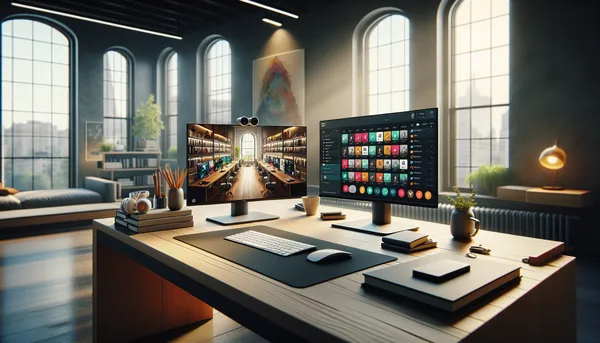
How to Build a Complete On-Demand Experience for Coaching Clients
A practical guide to building your on-demand coaching offering across workouts, nutrition, and educational resources.
Why a Complete On-Demand Experience Matters
You’ve decided to offer on-demand content. Smart move. But here’s where most coaches stumble: they build a workout library and stop.
A workout library is great. But a client who can access workouts, meal ideas, and educational resources is a client getting genuinely comprehensive coaching. They’re solving problems independently, reducing their reliance on your time, and building a stronger relationship with your brand.
The complete on-demand experience is more than the sum of its parts. When a client finishes a workout, they can browse recipes from your library. When they read a nutrition guide, they can link to a relevant workout. When they have a question, they can reference your resource collection before booking a call.
This interconnected ecosystem makes your coaching feel complete. It also makes it stickier. Clients who use all three pillars churn significantly less than clients who use just one.
This guide walks you through building all three pillars, organized and integrated, so your clients get the comprehensive on-demand experience they expect.
Step 1: Build Your On-Demand Workout Library
Your workout library is the most visible pillar and often the starting point for fitness coaches.
What to Include
Start by asking yourself: what workouts do my clients actually need?
For most coaches, this means building out the fundamentals:
- Strength training (organized by body part, movement pattern, or equipment availability)
- Conditioning and cardio (HIIT, steady-state, mixed modality)
- Mobility and recovery (stretching, foam rolling, active recovery flows)
- Core and stability work
- Specialty content (pre-hab, post-injury options, modifications)
The goal isn’t 500 workouts in year one. It’s a solid foundation of 30-50 high-quality workouts that cover your clients’ most common needs. You can expand from there based on what clients actually use.
Think breadth and depth: variety in stimulus (strength, conditioning, recovery) and variety in format (15-minute flows and 60-minute sessions, bodyweight and equipment-based, solo and partner workouts).
How to Organize It
Organization determines whether clients can find what they need or abandon your library in frustration.
Most coaches use one of these organizational structures:
By movement pattern: Lower body, upper body, core, full body. This works well for strength coaches.
By time commitment: Quick (under 20 minutes), standard (20-40 minutes), comprehensive (45+ minutes). This works well for busy clients who often make decisions based on time available.
By modality: Strength, HIIT, yoga, Pilates, running, cycling. This works if you coach across multiple disciplines.
By goal: Fat loss, muscle gain, athletic performance, general health. This works if your clients have distinct goals.
Many coaches use a hybrid: primary sections (like strength, conditioning, recovery) with subsections (like lower body, upper body). This gives clients two ways to navigate: they can browse by primary category or filter down to what they specifically want.
The key principle: make it intuitive to your clients. If you’re coaching a mix of clients with different goals, organizing by goal makes sense. If you’re coaching athletes from one sport, organizing by movement pattern or phase of training makes sense.
Making It Visually Compelling
A workout library isn’t just functional. It’s your digital storefront. How it looks matters.
Each workout needs:
- A clear, descriptive title (“Lower Body Strength + Core”)
- A compelling cover image or thumbnail
- A brief description (what this workout targets, who it’s good for, what equipment is needed)
- Duration clearly listed
- Difficulty level if applicable
The browsing experience should feel organized and inspiring. A well-curated library signals that you know what you’re doing. A messy, poorly-labeled one signals the opposite.
For a deeper dive into designing and organizing your workout library, see our complete guide to on-demand workout libraries.
Video
Here’s what the Workout Studio looks like in HubFit:
Step 2: Create Your On-Demand Recipe Books
Nutrition content is the pillar many fitness coaches overlook, and it’s a missed opportunity.
Clients don’t just want workouts. They want help with nutrition. Even if you’re not a nutrition coach, you probably have strong opinions about how your clients should eat. Sharing that knowledge in a scalable format (recipe books) is incredibly valuable.
What to Include
A recipe book isn’t a meal plan. It’s a collection of meal options your clients can browse and choose from.
For example, you might create recipe books organized as:
- Balanced macros breakfasts (25 recipes that fit macro targets)
- High-protein lunches (30 lunch ideas over 35g protein)
- 30-minute dinners (40 quick dinner options)
- Meal prep protocols (5 weekly meal prep templates)
- Vegan options (recipes for clients following plant-based diets)
- Post-workout recovery meals (15 post-training nutrition options)
The variety gives clients options while maintaining your coaching philosophy. A client can say, “I’ve got 20 minutes and I need dinner,” browse your 30-minute options, pick something that appeals, and execute.
Unlike a traditional meal plan (which prescribes exact meals on exact days), recipe books are self-directed. That autonomy is powerful.
How to Organize It
Use the same organizational thinking as your workouts. Structure recipe books in a way your clients naturally navigate.
Many nutrition coaches organize by:
- Meal type: Breakfasts, lunches, dinners, snacks, desserts
- Dietary preference: Keto, paleo, vegan, vegetarian, balanced macros
- Prep time: Quick (under 15 minutes), moderate (15-30 minutes), involved (30+ minutes)
- Macro focus: High-protein, higher-carb, balanced, etc.
- Cuisine: Mediterranean, Asian, American comfort food, etc.
A client browsing these options should be able to find meals quickly based on their current need. If they’re meal prepping Sunday and have 2 hours, they pick from “involved.” If they’re hungry at work and forgot lunch, they pick from “quick.”
Making Meals Visually Appetizing
Food sells on looks. Each recipe needs:
- A high-quality photo of the finished meal
- Ingredient list
- Basic nutrition info (especially macros if your clients care about that)
- Clear instructions
- Prep and cook time
- Serving suggestions or variations
The better the food photography, the more likely a client will make the recipe. If your recipes look uninspiring, clients won’t use them.
For more on building a scalable recipe book offering, check out our recipe books guide for nutrition coaches.
Video
Here’s how recipe books work in HubFit:
Step 3: Curate Your On-Demand Resource Library
Your resource library is where knowledge lives. This is educational content that helps clients understand the “why” behind your coaching.
What to Include
Resources can be almost anything:
- Technique guides: PDFs on proper squat form, deadlift mechanics, pressing patterns, etc.
- Educational videos: Form demos, training principle breakdowns, nutrition education
- Nutrition references: Macro guides, supplement comparisons, food lists, hydration protocols
- Recovery guides: Sleep optimization, mobility progression, stress management
- Goal-specific resources: How to break a plateau, periodization explained, deload protocols
- Tools and calculators: TDEE calculators, macro calculators, training log templates
- Articles and external links: Curated reads from respected sources
- Case studies: Examples of clients you’ve worked with (with permission) and their results
- Worksheets and templates: Goal-setting worksheets, training logs, meal planning templates
The unifying principle: all of these help clients become more educated and self-sufficient. They reduce the number of basic questions you field, and they build client confidence.
How to Organize It
Resource libraries work well with clear categories:
- Training fundamentals (form, programming, recovery)
- Nutrition fundamentals (macros, hydration, supplements)
- Goal-specific (fat loss, muscle gain, athletic performance, durability)
- Client experience (how to use HubFit, getting the most from on-demand content)
- Reference materials (quick-lookup guides, calculators, tools)
Keep the categories simple and clearly named. A client should be able to find a resource within two clicks.
Sourcing and Credibility
You’ll curate some resources yourself and link to quality content from other creators. When linking externally, make sure you trust the source. Your brand is on the line.
A simple system: link to resources from reputable coaches, fitness organizations, scientific journals, and educational platforms. Avoid linking to sensationalized fitness content or unverified claims.
For more on building your resource library, see our resource library guide.
Video
Here’s resource collections in action:
Step 4: Organize for Client Experience
Here’s where most coaches miss an opportunity: the three pillars feel disconnected.
You’ve built workouts, recipes, and resources. But if they’re scattered across different platforms or organized with totally different naming conventions, the client experience feels fragmented. Your brand feels disorganized.
Consistent Naming and Labeling
Use the same language across all three pillars. If you organize workouts as “Lower Body,” “Upper Body,” “Full Body,” and “Core,” use similar section names in your recipes and resources.
For example:
- Recipe book: “Lower Body Strength Fuel,” “Upper Body Muscle Meals,” “Full Body Recovery Nutrition,” “Core Work Snacks”
- Resources: “Lower Body Training Principles,” “Upper Body Technical Guides,” “Full Body Periodization,” “Core Stability References”
This consistency makes the experience feel intentional and professional. Clients see clear organization across all three pillars.
Layout and Visual Consistency
Most on-demand platforms offer layout options (list view, card view, grid view, etc.). Choose consistent layouts across your three pillars so the browsing experience feels uniform.
If your workouts use large cards with images, use the same layout for recipes and resources. If your resources use a list view, be consistent there too.
This uniformity might seem like a small detail, but it’s the difference between a professional, integrated coaching offering and a patchwork of tools.
Narrative and Branding
Your on-demand offering should tell a coherent story about your coaching philosophy.
If you’re a strength coach, your workouts emphasize strength progression, your recipes emphasize muscle-building nutrition, and your resources explain periodization and progressive overload. The three pillars reinforce each other.
If you’re a wellness coach, your workouts emphasize mobility and recovery, your recipes emphasize nutrient-dense whole foods, and your resources explain the mind-body connection. Again, coherent.
When a client moves between your three pillars, they should feel like they’re experiencing one unified coaching philosophy, not three random things you happened to create.
Step 5: Set Up Client Access and Onboarding
On-demand content only works if clients know it exists and can access it.
Granular Access Control
Not all content is for all clients. A beginner might not need advanced strength progressions. A client doing a fat-loss program might not need resources about muscle-building nutrition.
Use granular access control to ensure each client sees relevant content:
- Beginner clients get “fundamentals” resources and “basics” workouts
- Intermediate clients get expanded options
- Advanced clients get specialized content
- Nutrition clients get full access to recipe books and nutrition resources
- Fitness clients interested in nutrition get limited recipe options
This targeted approach is more valuable than dumping everything on every client. Clients feel the offering was personalized to them. They’re less overwhelmed. They use more of it.
Onboarding Automation
Manual access assignment doesn’t scale. Set up automated onboarding flows that assign content based on client tier or program:
“When a client is added to the ‘fitness plus nutrition package,’ they automatically get access to workouts, recipe books, and all resources.”
“When a client completes the onboarding intake, they’re automatically assigned to the appropriate beginner content and can request upgrades later.”
This automation ensures every client gets immediate access to their relevant content without you manually assigning anything.
Communication and Discovery
Clients won’t explore your on-demand content if you don’t tell them it exists. During your first coaching call, reference specific pieces of on-demand content: “After our call, check out the lower body workout in the studio. It’s a perfect complement to what we discussed.”
In your resource library, create an onboarding resource: “How to Get the Most Out of Your On-Demand Coaching.” This guides new clients through discovering what’s available.
Step 6: Maintain and Update Your Content
On-demand content isn’t a one-time build. It’s an ongoing practice.
Content Velocity
Plan to add new content regularly. Monthly additions keep your library fresh and give clients reasons to keep exploring. This doesn’t mean 10 new workouts every month. It means consistent, meaningful additions that show your library is alive.
A reasonable cadence:
- Add 2-4 new workouts per month
- Add 1-2 new recipe books per month (or expand existing ones)
- Add 1-2 new resources per month
This keeps your offering current without becoming overwhelming to manage.
Seasonal Updates
Rotate content seasonally. Summer conditioning workouts make sense in spring and summer. Winter strength phases make sense in fall and winter. Post-holiday nutrition content makes sense in January.
Your clients will appreciate content that meets them where they are in their training cycle and life.
Responding to Client Needs
Pay attention to what clients use and what they ask about. If every client in a given program is asking about post-workout nutrition, create a resource on that. If a particular workout becomes the most-used in your library, understand why and create similar content.
Your on-demand content should evolve based on real client needs, not just what you think they should want.
How It All Comes Together: A Day in the Life
Imagine your client Sarah, who subscribed to your complete on-demand offering.
She wakes up, opens the HubFit app, and scrolls workouts. She has 30 minutes before work. She picks a quick upper body strength session from your Workout Studio. She tracks it, seeing her sets and reps recorded.
That night, she’s meal prepping for the week. She opens your Recipe Books and browses “High-Protein Dinners.” She finds three that appeal, screenshots them, and builds her grocery list.
Thursday evening, she has a question about programming. Instead of booking a call, she searches your Resource Collection and finds your “Progressive Overload Explained” guide and a video on periodization. Both answer her question.
The next morning, she’s sore. She scrolls your resources, finds “Recovery Protocols,” and gets ideas. She also checks your Workout Studio for recovery flow options and does a 15-minute mobility session.
Friday evening, she has a question her resources didn’t quite answer. She books a call with you. The conversation is deeper and more valuable because she’s already educated herself. You’re not explaining periodization. You’re discussing how to apply it to her specific situation.
This is the complete on-demand experience. Content creates competence. Competence creates better conversations. Better conversations create stronger coaching relationships.
Building It All in One Place
The most efficient way to build this complete experience is using a platform that supports all three pillars natively.
HubFit was designed exactly for this workflow. You build workouts, recipes, and resources in one place, with consistent UX and organization across all three. You set up granular access control and automated onboarding. Your clients browse, explore, and extract value.
The Workout Studio, Recipe Books, and Resource Collections all share the same interface principles: visual browsing, organized sections, multiple layout options, drag-and-drop ordering, and client-specific access control.
For your clients, this means learning one interface that serves all three pillars. For you, this means managing one platform instead of juggling multiple tools.
Your Next Steps
Building a complete on-demand experience doesn’t happen overnight, but it doesn’t need to take months either.
Start with your primary pillar (workouts for fitness coaches, recipes for nutrition coaches). Build a solid foundation of 30-50 pieces of content, organized thoughtfully. Then add the second pillar. Then the third.
As you build, prioritize organization and presentation. A well-curated library with 20 pieces of content is more valuable than a messy one with 100.
Plan to maintain and expand consistently. Content velocity keeps your offering fresh.
And remember: on-demand content isn’t about replacing your one-on-one coaching. It’s about supporting it. Your on-demand library makes your coaching more complete, more scalable, and more valuable to each client.
For deeper dives into each pillar, explore our guides on on-demand workouts, recipe books, and resource libraries.
Then dive into the practical work of building your offering. Your clients are waiting for more from you than scheduled calls alone.

The HubFit team shares expert insights on training, nutrition, and wellness to help coaches and clients achieve their fitness goals.