Resource Collections V2: Your Content Library, Reimagined
Collection covers, custom layouts, in-app viewing and real-time preview. Resource Collections V2 transforms how you deliver content.
You’ve spent hours creating workout programs, nutrition guides, video tutorials, and educational content. But if your clients can’t find it, browse it easily, or access it on their own terms, all that effort gets lost.
That changes today.
Resource Collections V2 transforms the way you organize and deliver content to your clients. Think of it as your own on-demand content hub, a place where everything you’ve built lives in one beautifully organized library, accessible anytime your clients need it.
No more sending links over chat. No more clients asking where to find that one guide you shared three weeks ago. Everything is right there, inside your app, ready when they are.
Why We Rebuilt Resource Collections
The original Resource Collections did the job, but it wasn’t built for the way coaches create content today. You’re not just sharing a single PDF anymore. You’re building full course libraries, multi-week programs, recipe collections, and video playlists, and your clients expect a polished, professional experience when they access them.
Resource Collections V2 was designed to match the quality of the content you’re creating. It looks better, feels faster, and gives you real control over how your content is presented.
Here’s what’s new.
Make Your Content Look the Part
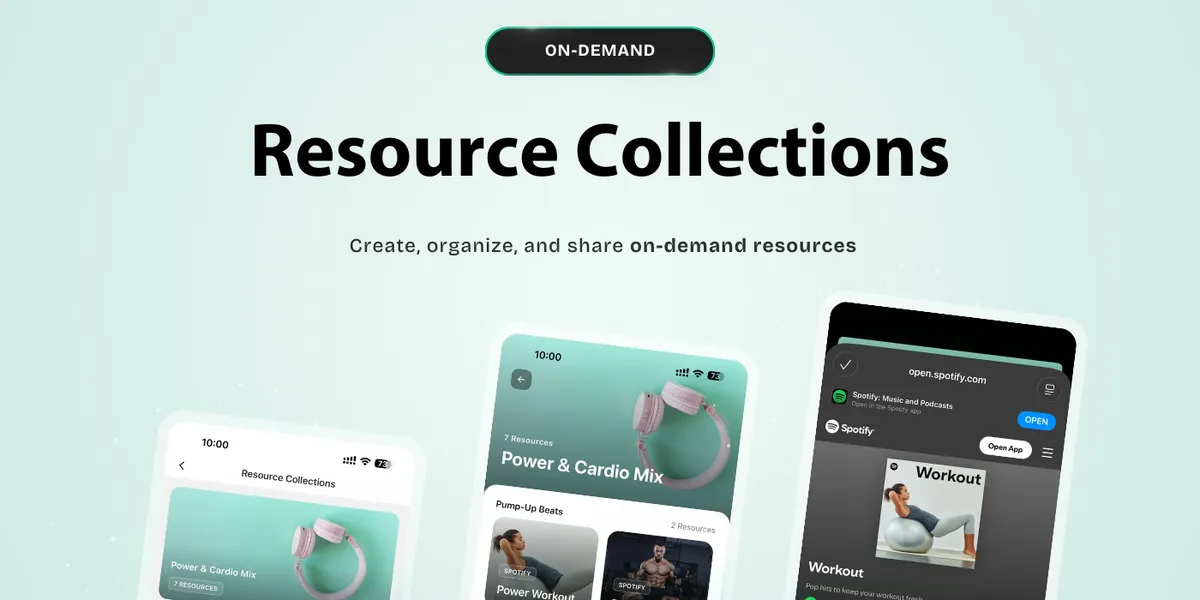
Collection Covers let you add eye-catching cover images to each collection. Whether it’s a photo from a shoot, a branded graphic, or a simple design from Canva, a strong cover image turns a list of resources into something clients actually want to explore. First impressions matter, and now your content makes one.
Resource Covers take it a step further. Every individual resource, a video, a guide, a checklist, can have its own unique image. Your library goes from a plain list of titles to a visual experience that feels curated and intentional. It’s the difference between a folder of files and a content platform.
A Seamless Client Experience
In-App Viewing is one of those changes that sounds small but transforms the experience. Previously, tapping a resource might redirect clients to an external browser or a third-party player. Now, everything opens right inside the app. Videos play in-app. PDFs render in-app. Your clients stay in your world from start to finish, no disruptions, no confusion, no friction.
App Redesign ties the whole experience together. The interface is faster, cleaner, and more intuitive. Clients can browse your content library the way they’d browse a streaming platform, quickly scanning, tapping in, and picking up right where they left off.
Present Your Content, Your Way
Custom Layouts give you four distinct ways to display your collections, so you can match the format to the content.
- List View keeps things clean and scannable, perfect for step-by-step programs or sequential courses where order matters.
- Card View gives each resource visual weight with images and titles side by side, great for recipe collections or standalone guides.
- Carousel View creates a horizontal scroll experience, ideal for highlighting featured content or curating a “start here” section.
- Grid View fills the screen with a visual mosaic of your content, the go-to for large libraries where clients want to browse and discover.
You’re not locked into one layout either. Different collections can use different views, so your 12-week training program can feel structured while your recipe library feels open and browsable.
Real-Time Preview means you’re never guessing how it looks. As you build and arrange your collections, you see exactly what your clients will see. Adjust a cover image, swap a layout, reorder resources, and watch the preview update instantly. No more publishing, checking on your phone, and going back to fix things.
What This Means for Your Business
Your content is one of the most valuable assets you have as a coach. It’s what sets you apart, keeps clients progressing between sessions, and creates value that goes beyond the hour they spend training with you.
But content only works if clients actually engage with it. A messy, hard-to-navigate library gets ignored. A polished, well-organized content hub gets used.
Resource Collections V2 helps you turn your knowledge into something that looks and feels like a premium product, because that’s exactly what it is. Clients get on-demand access to everything you’ve created, presented in a way that makes them want to come back and keep learning.
And for you, it means less time answering “where can I find that guide?” and more time doing what you do best.
Get Started
Resource Collections V2 is available now. Head to your HubFit dashboard, start adding covers, choose your layouts, and watch your content library come to life.
Your content deserves to be seen. Now it finally looks the part.

The HubFit team shares expert insights on training, nutrition, and wellness to help coaches and clients achieve their fitness goals.